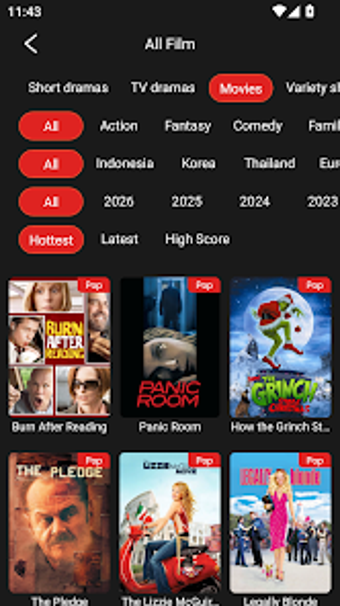
LaBxTV: Android streaming hub for live TV, VOD, and series
LaBxTV plays live television, video-on-demand, and serialized content with high-definition playback across device screens, and it integrates schedule tracking through an electronic program guide. THE WANDERING TOURISTS L.L.C builds the app for multimedia use on Android devices, targeting viewers who want quick access to live broadcasts and on-demand libraries. The interface supports touchscreen and remote navigation, and the app connects to external media players and hardware acceleration options.
How LaBxTV organizes viewing for everyday consumption
The app groups live TV, VOD, and series into a single hub, letting you switch between scheduled channels and on-demand items without leaving the main interface. High-definition video streaming is listed among its key capabilities, which means movies and series play at elevated quality when the source supports it. The design aims to keep browsing and playback in the same flow so you spend less time hunting for content.
What devices and inputs LaBxTV supports
Compatibility spans handheld devices and large-screen Android players, including smartphones, tablets, Android TV, and Fire OS devices. The app also offers compatibility with external media players and uses internal hardware acceleration, which affects how the app hands off decoding tasks to the device and connected players. That means you can route playback through an alternate player when needed.
How approachable the interface and controls feel
Navigation adapts to touchscreens and remote controls, so you can operate the app on a phone or with a TV remote without facing a drastically different layout. The interface focus on both input types suggests a short onboarding path for viewers who move from handheld browsing to a living-room screen, keeping core controls visible for channel switching and playback.
How the app performs with higher-quality streams
LaBxTV lists hardware acceleration and HD streaming as priorities, which impacts playback smoothness on higher-resolution content when the device supports those features. External player compatibility also gives you an alternate route when native decoding struggles. These implementation choices affect rendering behavior and the continuity of playback for longer viewing sessions.
LaBxTV is a practical gateway for Android viewers
You should try LaBxTV if you want a single app that brings scheduled broadcasts and on-demand viewing into the same place; parental control settings give households a basic way to restrict access. The app is aimed at people who consume content on device screens and TV endpoints and who prefer a compact, device-focused streaming hub to fragmenting services across multiple apps.